Flagship app
MAC64 — Free hardware diagnostics for Apple Silicon Macs
The AIDA64-style toolkit Macs were missing. MAC64 reads the hardware directly, runs its own tests and sums everything up in one full report — before buying a used Mac, after a repair, or to see how your own is holding up.
- Apple Silicon (M1 and newer)
- macOS 14+
- Free
- Works offline
- English · Ukrainian · Russian
Free. Needs macOS 14 or later on a Mac with Apple Silicon (M1 or newer). The download is on itch.io, where you can also support the project.
What MAC64 checks
The whole Mac in under a minute
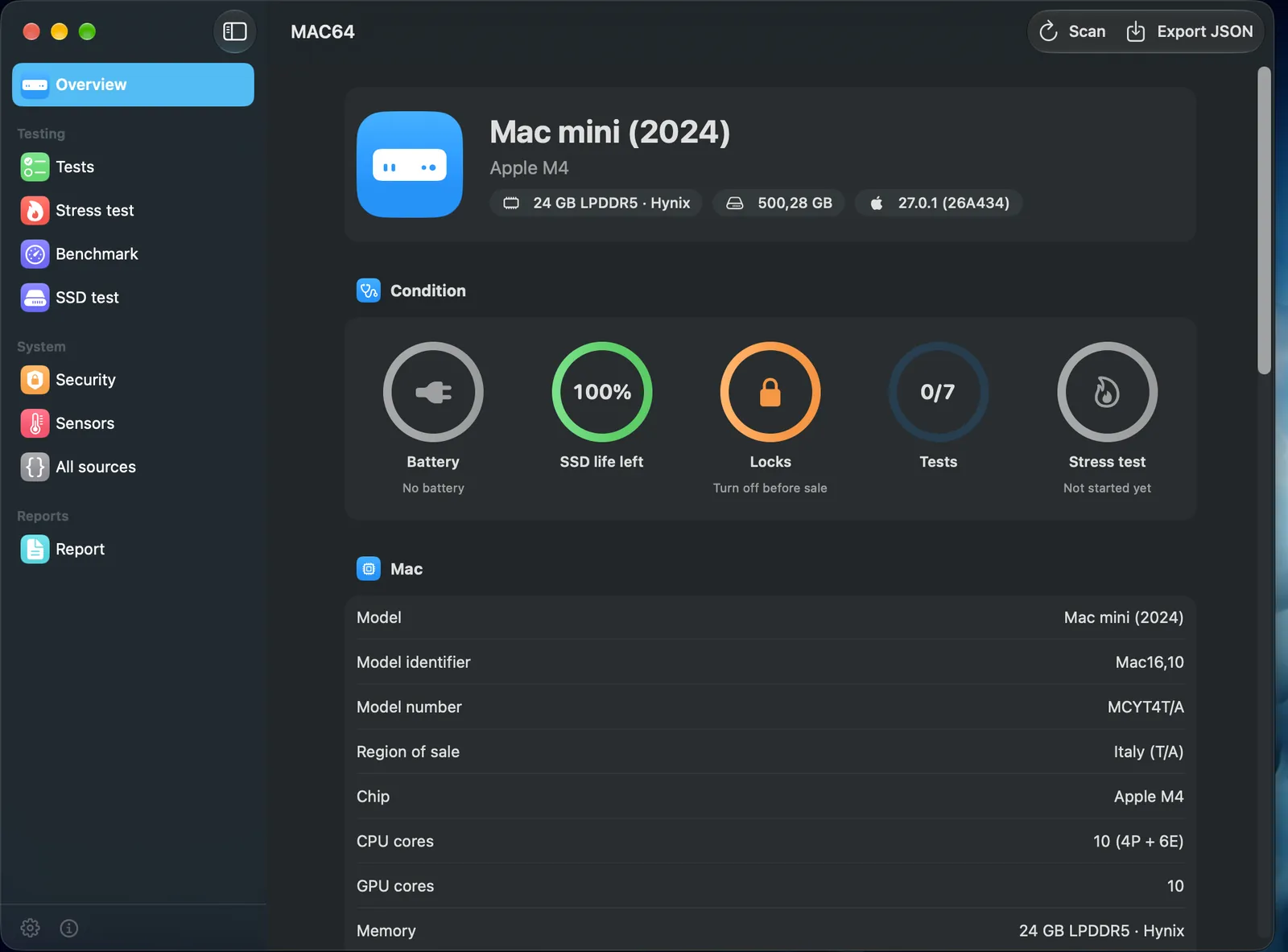
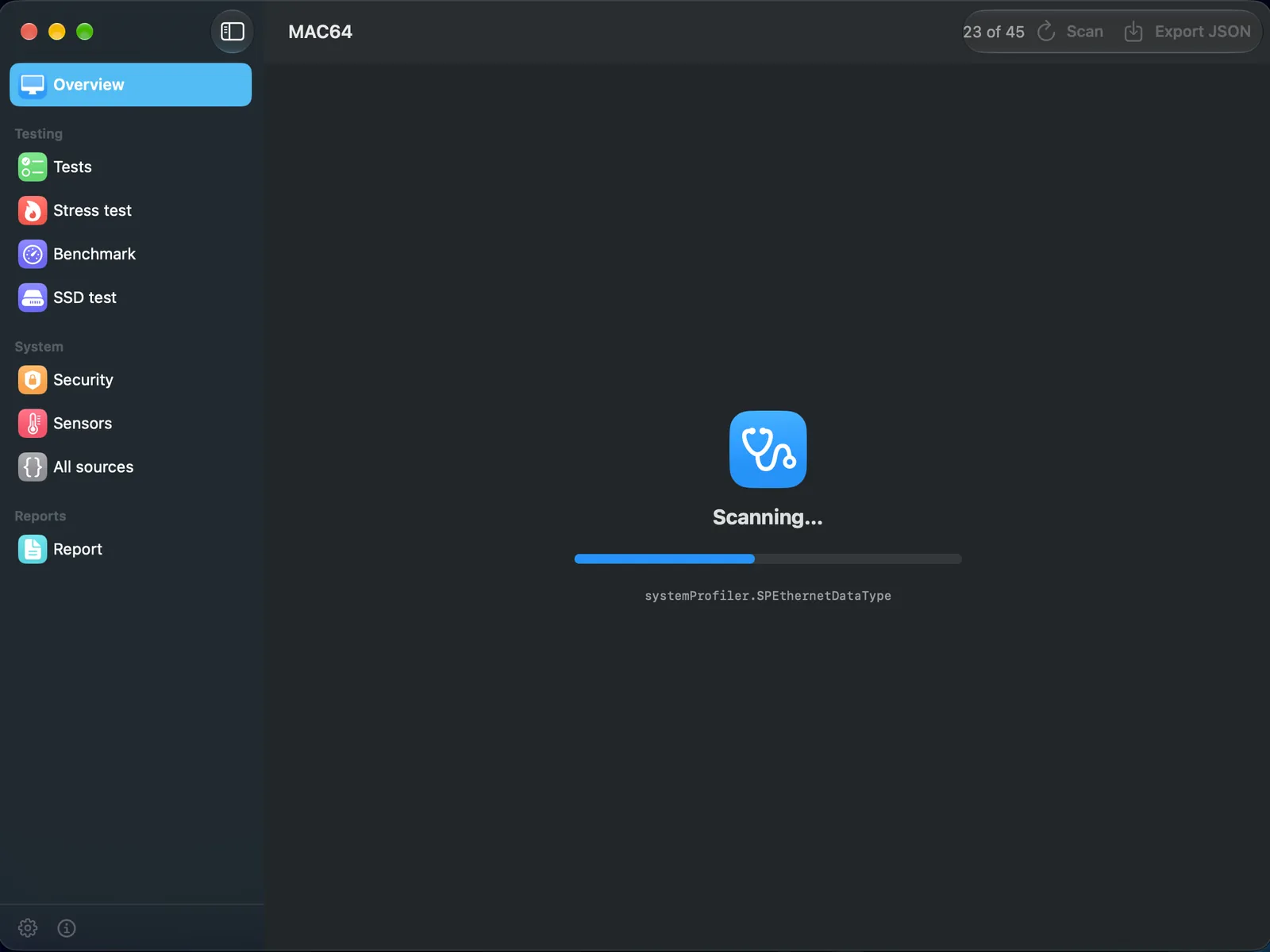
45 collectors read the Mac in 20 to 60 seconds: model, chip, memory, SSD, macOS, battery, locks, and the state of each check at a glance.
Guided hardware tests
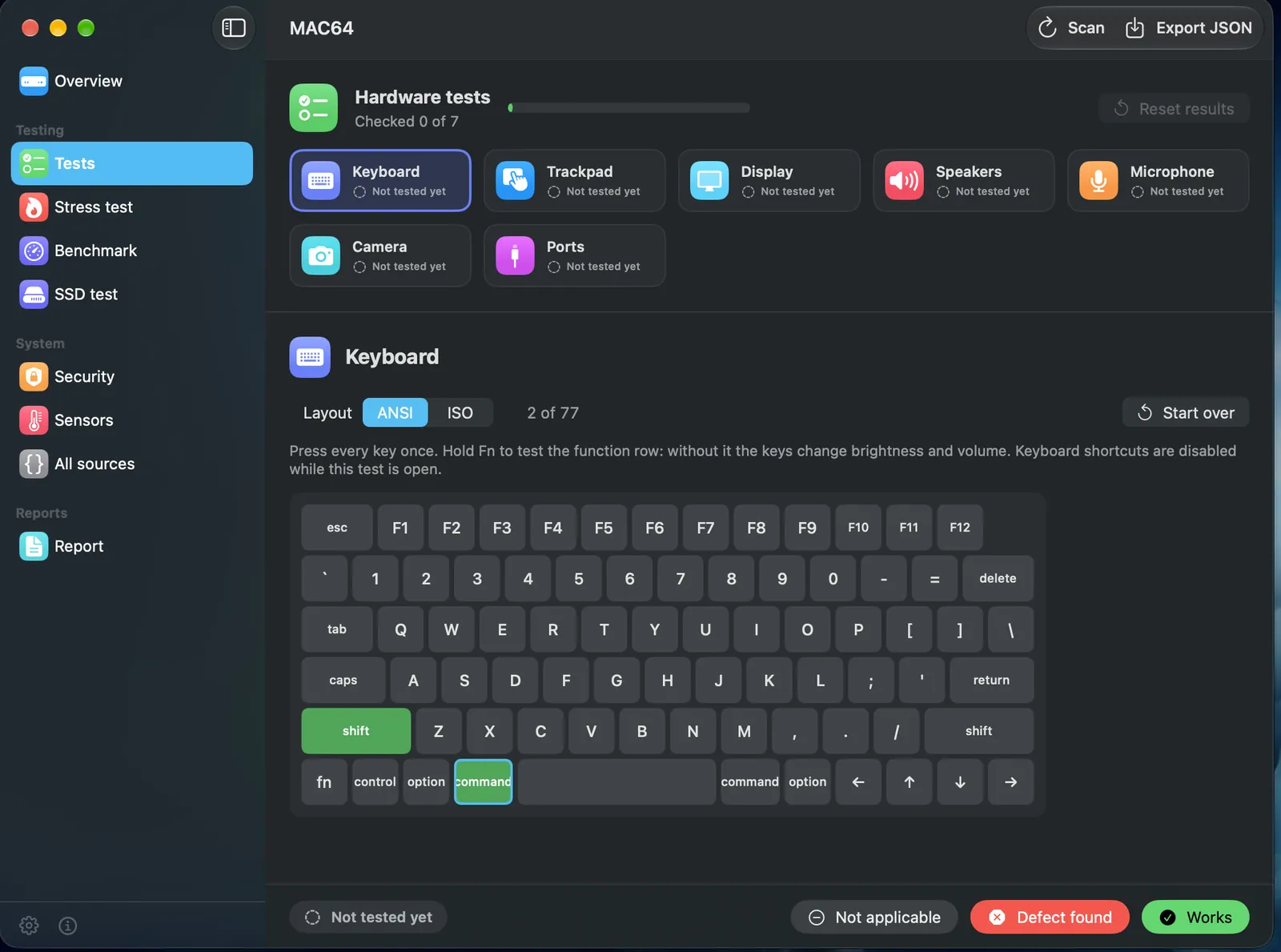
Seven guided hardware tests: keyboard, trackpad, display, speakers, microphone, camera and ports.
A stress test that catches errors, not just heat
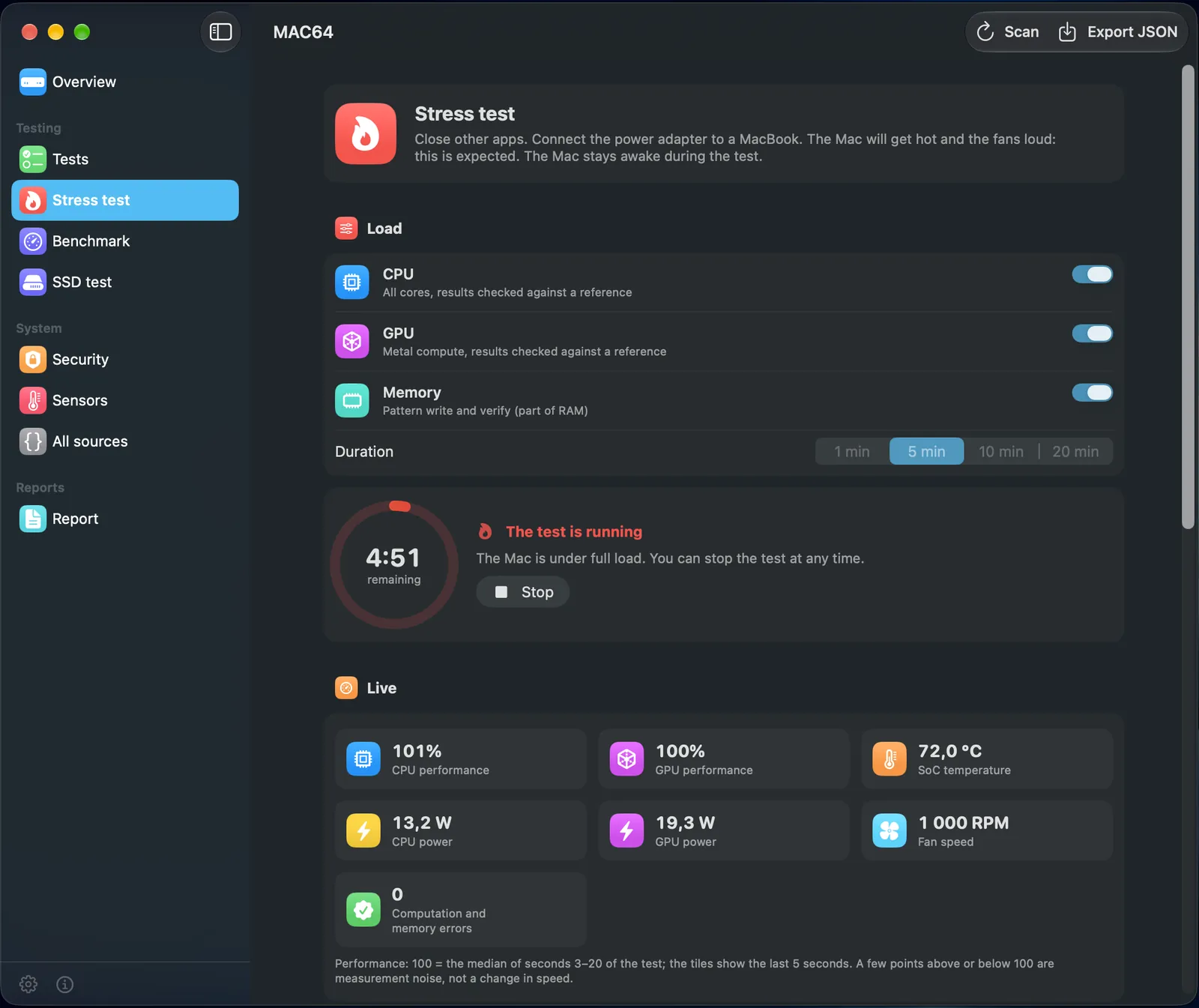
One to twenty minutes of load on the CPU, GPU and memory. Every result is checked against a reference, so the test catches calculation errors and throttling, not just heat.
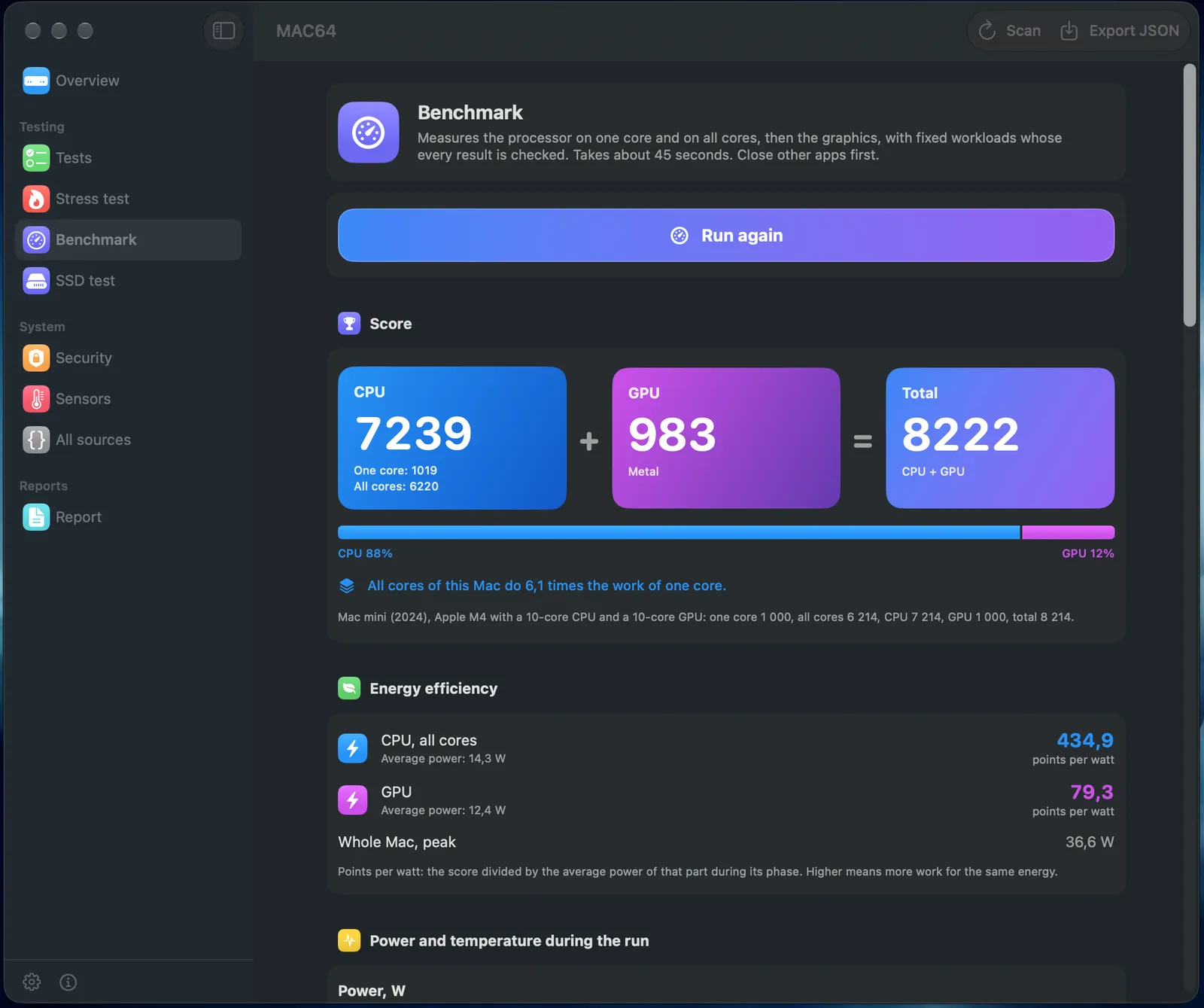
A benchmark you can compare over time
Its own fixed CPU and Metal workloads: the test itself never changes, so the score shows how the Mac changed — after a macOS update, a repair or months of use. Calibrated on a Mac mini M4, with power draw and points per watt for each part.
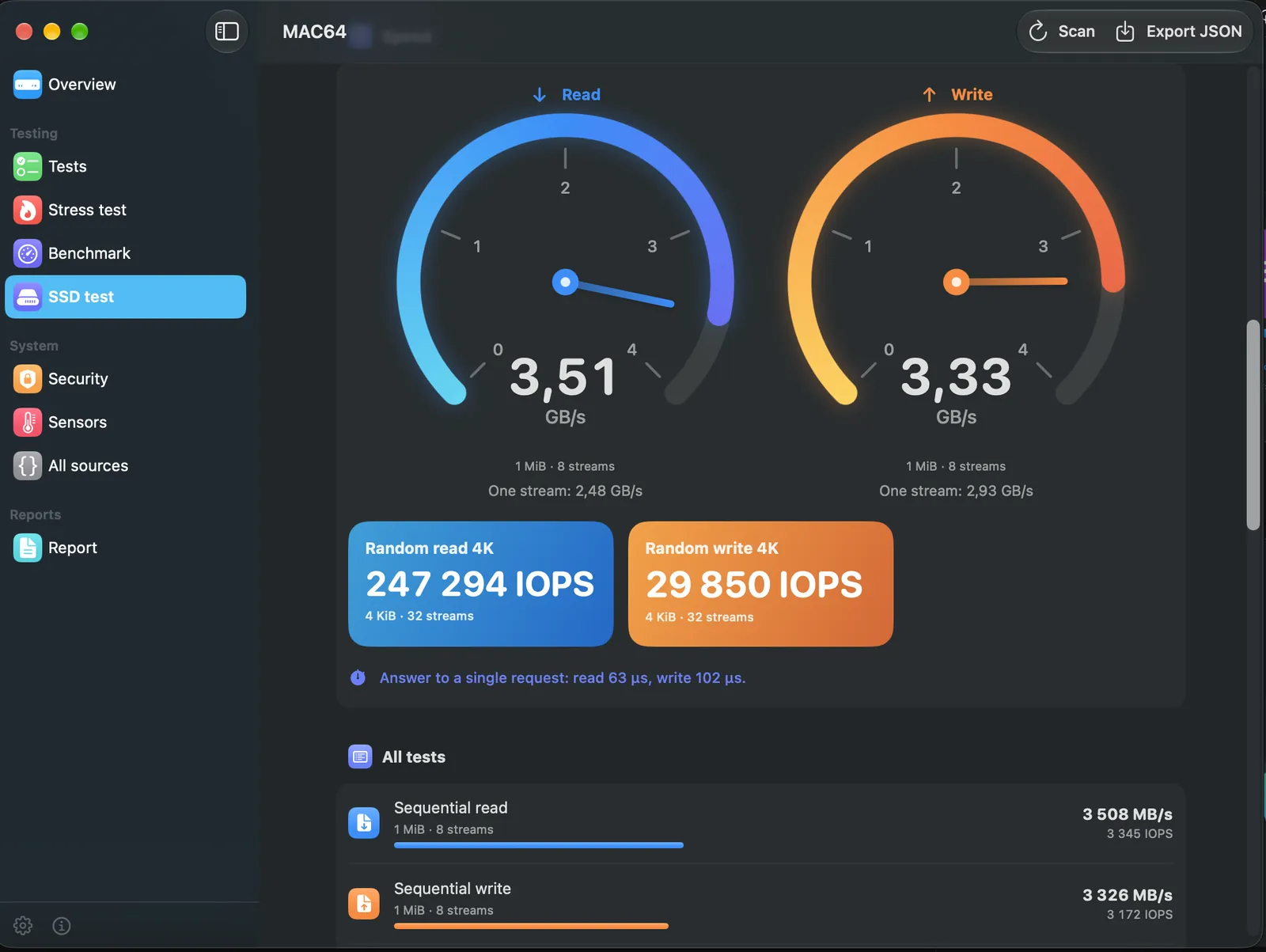
Real SSD speed and integrity
Real read and write speeds with the system cache bypassed, random 4K IOPS, the latency of a single request and an integrity check of every written sector.
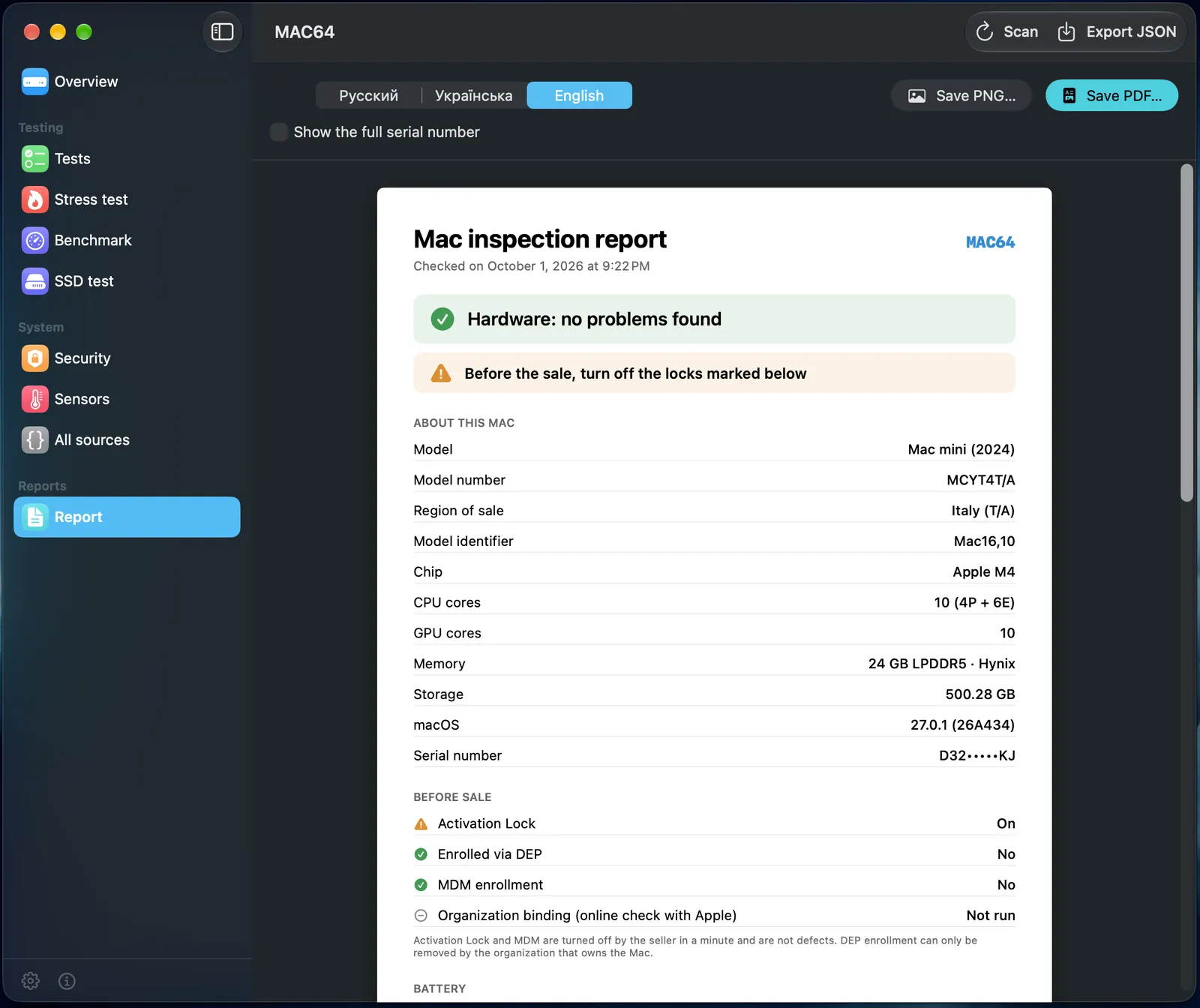
A full report in one file
Everything MAC64 found — the hardware, its condition, the locks and the checks you ran — in one report in English, Ukrainian or Russian, saved as PDF or PNG. Keep it for yourself or share it when you sell or repair the Mac. The serial number stays hidden unless you choose to show it.
Also in MAC64
Mac journal
A snapshot every day and every test, saved as plain JSON, so you can see how the Mac changes over months.
Locks and security
Activation Lock, MDM and DEP enrollment, SIP, Gatekeeper, FileVault and boot settings.
Stability
Kernel panics in the last 30 days, one of the most reliable software signs of a hardware fault.
Sensors
Live temperatures, fan speeds and power draw, with charts.
How to check a used Mac before you buy it
A seller's word and a nice photo are not a diagnosis. With MAC64 the whole check takes about fifteen minutes:
- Run the scan. Model, chip, memory and SSD should match the listing.
- Check the locks. Activation Lock, MDM and DEP enrollment must be off — otherwise the Mac can stay tied to someone else's account or to a company.
- Look at the battery and the SSD. Battery condition and the SSD's life left are on the first screen.
- Run the guided tests: keyboard, trackpad, display, speakers, microphone, camera and ports.
- Put it under load. Ten minutes of stress test show throttling and calculation errors that a quick look never will.
- Check stability. Kernel panics in the last 30 days are a strong sign of a hardware fault.
- Save the report as PDF or PNG — for yourself, or for the seller to attach to the listing.
Questions
Is MAC64 free?
Yes. MAC64 is free to download and use. If it helps you, you can support development on itch.io.
Does MAC64 work on Intel Macs?
No. MAC64 needs a Mac with Apple Silicon (M1 or newer) and macOS 14 or later.
Is there AIDA64 for Mac?
AIDA64 runs on Windows. MAC64 covers the same ground natively on Apple Silicon Macs — hardware details, sensors, a stress test and a benchmark — and adds a full report.
Does MAC64 send my data anywhere?
No. The scan, the tests and the reports run on the Mac. The only network use is the update check and an optional check with Apple.
Is it safe to install?
MAC64 is signed with Developer ID and notarized by Apple, and its updates are signed with EdDSA.
Which languages does it speak?
English, Ukrainian and Russian — both the app and the report.
Free. Needs macOS 14 or later on a Mac with Apple Silicon (M1 or newer). The download is on itch.io, where you can also support the project.